Meeting notes you can check against what was actually said.
Gorp records your microphone and the call on your Mac, then writes the summary, decisions and action items. When a line looks wrong, click it and hear the moment it came from.
Free while in preview · Mac · no account · no meeting bot
Needs an Apple silicon Mac with macOS 15 or later

After a meeting, you have…
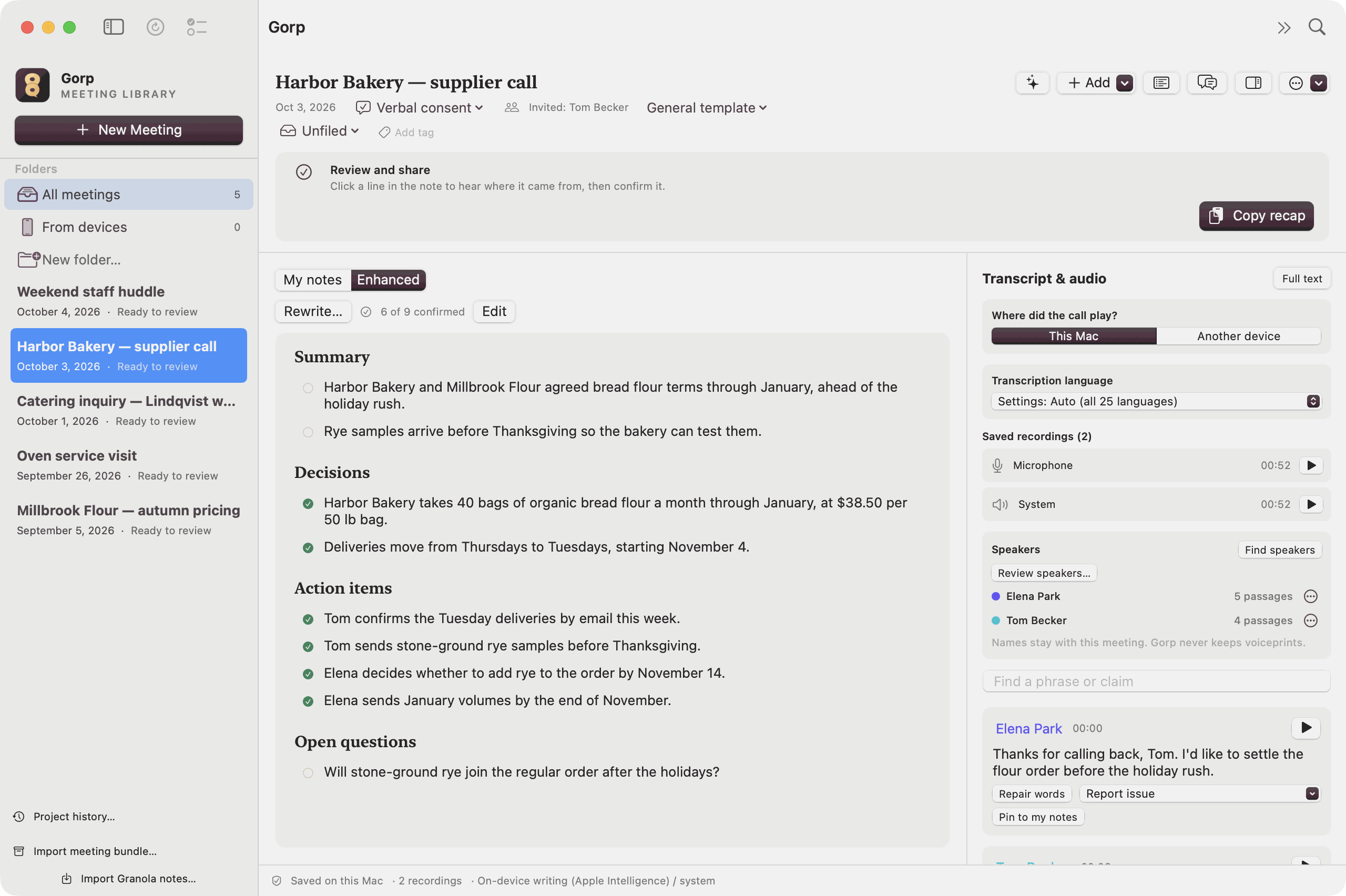
Copy recap puts the confirmed decisions and actions on the clipboard, and Draft follow-up… turns them into an email.
What changes in an ordinary week
The email after a supplier call
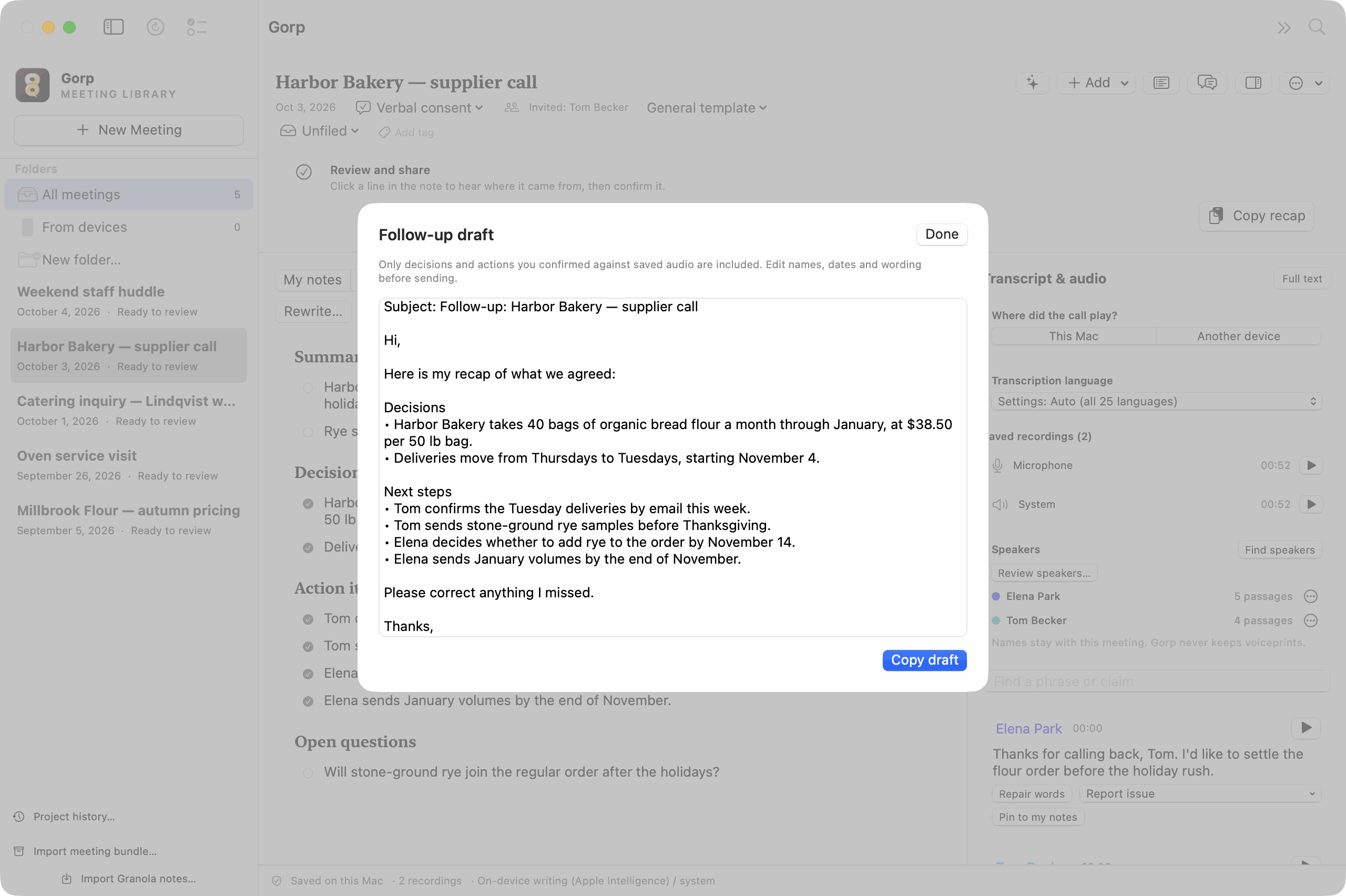
After a supplier call, open Review decisions & actions, listen to each one, and press Return on the ones that are right. Draft follow-up… turns those into an email that ends “Please correct anything I missed.” Copy it into Mail, fix a name if you need to, and send it.
A minute before the next check-in
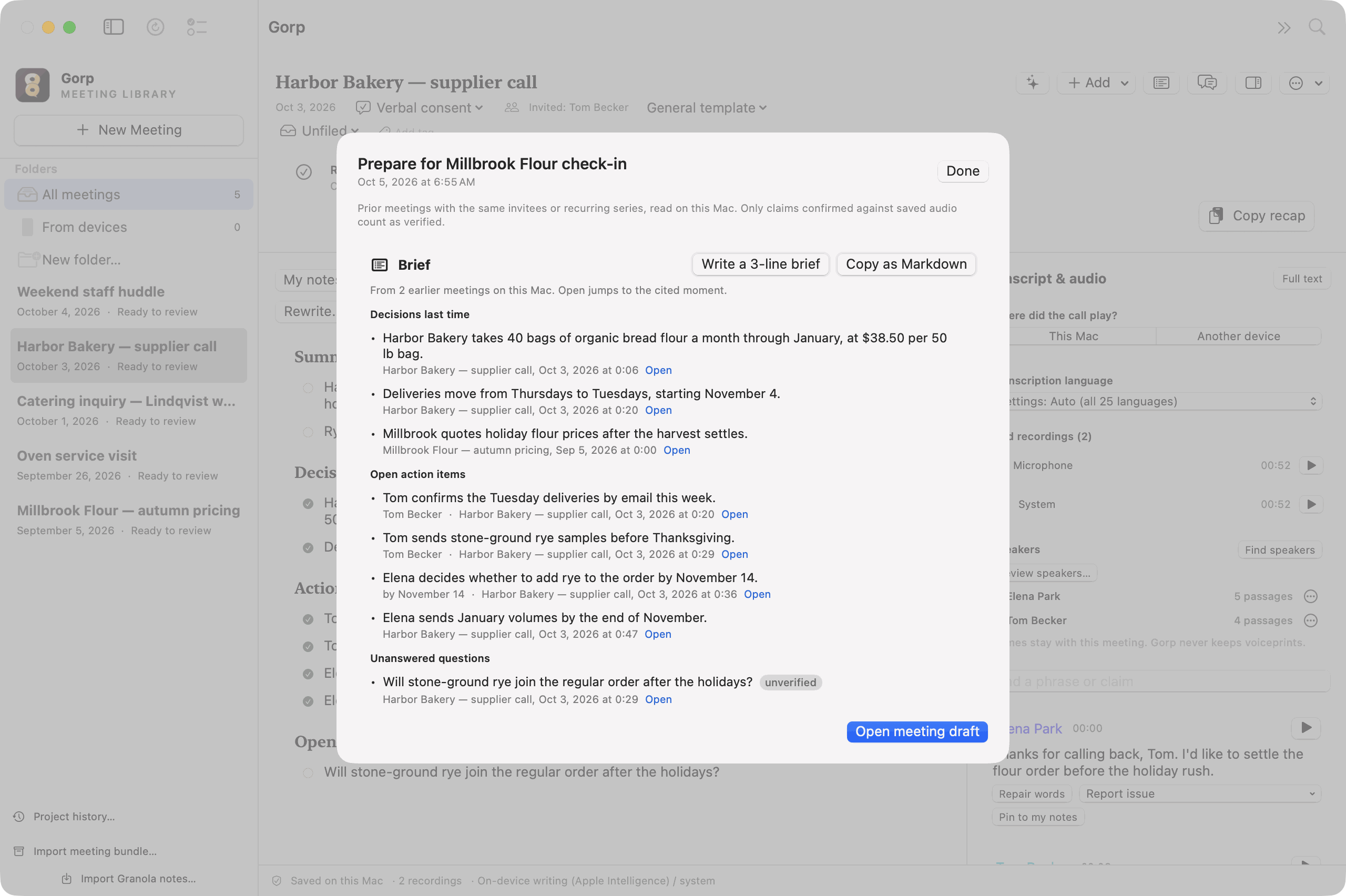
A minute before a video call on your calendar with people you’ve met before, the reminder starts with what you decided last time. Open the brief and the open action items and unanswered questions are there, each linked to the moment it was said. The brief is put together on your Mac, without an AI.
When a client rings on FaceTime
Unplanned calls are the ones nobody takes notes on. When a call app starts using your microphone, Gorp asks once: “FaceTime is using your microphone. Start notes?” It also works for Zoom, Teams, Slack and Webex. It never starts recording on its own.
Finding it three weeks later
⌘K answers the question that comes up most: which meeting was that in? Type “packaging” and the decision to drop the blue packaging comes up with its meeting, its date and a play button. That search runs on your Mac and works offline.
The voice memos on your phone
Drag in Voice Memos, Zoom recordings or files from a pocket recorder. Gorp reads the date from the file name, so last spring’s interview lands on the right day, and you get a transcript and notes you can search.
A lecture you actually listened to
Pick the Lecture template and type “ask about slide 12” whenever you think of it. The notes come back sorted into main ideas, explanations and examples, terms to revisit and questions to study.
There are also guides for recording a family oral history, handing a job over before someone leaves, and research interviews. See those guides →
Coming from Granola?
- What stays the same
- You type rough notes during the call and get tidy ones afterwards. No bot joins. Your calendar reminds you when a call is about to start.
- What’s different
- Gorp keeps the recording, so you can check any line against it. The AI can run on your Mac, or you can use the Claude or ChatGPT plan you already pay for. No account and no history limit.
- Bringing your notes
- In Granola, Settings → Profile → Generate CSV. In Gorp, Import Granola notes… Granola never kept the audio, so those notes can’t be played back.
Your meetings stay on your Mac
Gorp records, transcribes and writes notes on your Mac, and saves them as ordinary files in your user Library. There is no Gorp account, and I don’t run a server that receives or stores your meetings.
If you choose a cloud AI service, with your own key or your Claude or ChatGPT plan, that meeting’s audio or text goes straight to that provider. Nothing goes to a cloud service until you add a key or connect a plan.
One caveat today: on Macs without Apple Intelligence, choose the built-in private writer during setup; if you add an OpenAI key, notes go to OpenAI unless you change the writer.
Every connection the app can make →Do people know I’m recording?
Nothing joins the call, so nobody sees a bot. Telling people is up to you, and Gorp makes it quick: copy a one-line disclosure into the chat from the menu bar, mark the moment they said yes, and if someone objects, delete their side of the audio and keep your own.
Recording and consent →Questions people ask first
What does it cost?
Nothing while it’s in preview. I haven’t set a price yet.
Does a bot join the call?
No. Gorp records your microphone and the sound your Mac plays, on the Mac, as two separate tracks. Nothing joins the meeting.
Does it work for meetings in a room?
Yes. Put the Mac on the table and choose Another device under Transcript & audio before you record. Afterwards, Find speakers groups the voices so you can name them. With people talking over each other, expect to fix a few labels.
Do I need an AI account?
No. Press Set up private AI once and Gorp prepares AI that runs on your Mac, with nothing to sign up for. If you already pay for Claude or ChatGPT, or have an API key, you can use that instead.
Which Macs does it run on?
Apple silicon Macs with macOS 15 or later. The live transcript during a call needs macOS 26.
Why it’s called Gorp
Gorp is trail mix: Good Ole Raisins and Peanuts, the stuff you eat on a hike. I wanted meeting notes to work the same way: a small handful of what matters, easy to carry.
I also wanted to be able to check them. AI notes sound just as sure when they’re wrong as when they’re right, so Gorp keeps the recording next to the notes and every line can take you back to the moment it came from. It runs on your Mac because that’s where I want my own meetings to stay.
It’s an early preview from a small independent company, and it has rough spots. If something breaks, Help → Send Feedback… comes to me.
Download for Mac